> For the complete documentation index, see [llms.txt](https://gitbook.wenzhihuai.com/llms.txt). Markdown versions of documentation pages are available by appending `.md` to page URLs; this page is available as [Markdown](https://gitbook.wenzhihuai.com/er-da-shu-ju/elastic-spark.md).
# 3.1 elastic-spark.md
## elastic spark
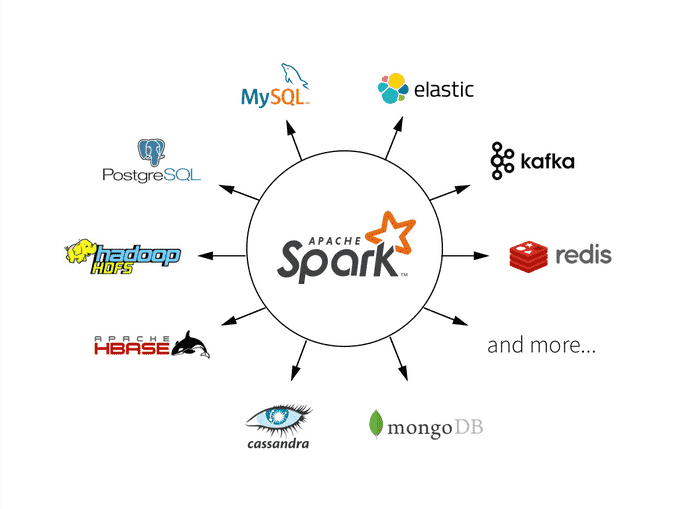
Hadoop允许Elasticsearch在Spark中以两种方式使用:通过自2.1以来的原生RDD支持,或者通过自2.0以来的Map/Reduce桥接器。从5.0版本开始,elasticsearch-hadoop就支持Spark 2.0。目前spark支持的数据源有: (1)文件系统:LocalFS、HDFS、Hive、text、parquet、orc、json、csv\
(2)数据RDBMS:mysql、oracle、mssql\
(3)NOSQL数据库:HBase、ES、Redis\
(4)消息对象:Redis
elasticsearch相对hdfs来说,容易搭建、并且有可视化kibana支持,非常方便spark的初学入门,本文主要讲解用elasticsearch-spark的入门。
### 一、原生RDD支持
#### 1.1 基础配置
相关库引入:
```xml
org.elasticsearch
elasticsearch-spark-30_2.13
8.1.3
```
SparkConf配置,更多详细的请点击[这里](https://www.elastic.co/Zephery/en/elasticsearch/hadoop/current/configuration.html)或者源码[ConfigurationOptions](https://github.com/elastic/elasticsearch-hadoop/blob/master/mr/src/main/java/org/elasticsearch/hadoop/cfg/ConfigurationOptions.java)。
```java
public static SparkConf getSparkConf() {
SparkConf sparkConf = new SparkConf().setAppName("elasticsearch-spark-demo");
sparkConf.set("es.nodes", "host")
.set("es.port", "xxxxxx")
.set("es.nodes.wan.only", "true")
.set("es.net.http.auth.user", "elxxxxastic")
.set("es.net.http.auth.pass", "xxxx")
.setMaster("local[*]");
return sparkConf;
}
```
#### 1.2 读取es数据
这里用的是kibana提供的sample data里面的索引kibana\_sample\_data\_ecommerce,也可以替换成自己的索引。
```java
public static void main(String[] args) {
SparkConf conf = getSparkConf();
try (JavaSparkContext jsc = new JavaSparkContext(conf)) {
JavaPairRDD> esRDD =
JavaEsSpark.esRDD(jsc, "kibana_sample_data_ecommerce");
esRDD.collect().forEach(System.out::println);
}
}
```
esRDD同时也支持query语句esRDD(final JavaSparkContext jsc, final String resource, final String query),一般对es的查询都需要根据时间筛选一下,不过相对于es的官方sdk,并没有那么友好的api,只能直接使用原生的dsl语句。
#### 1.3 写数据
支持序列化对象、json,并且能够使用占位符动态索引写入数据(使用较少),不过多介绍了。
```java
public static void jsonWrite(){
String json1 = "{\"reason\" : \"business\",\"airport\" : \"SFO\"}";
String json2 = "{\"participants\" : 5,\"airport\" : \"OTP\"}";
JavaRDD stringRDD = jsc.parallelize(ImmutableList.of(json1, json2));
JavaEsSpark.saveJsonToEs(stringRDD, "spark-json");
}
```
比较常用的读写也就这些,更多可以看下官网相关介绍。
### 二、Spark Streaming
spark的实时处理,es5.0的时候开始支持,目前
### 三、Spark SQL
### 四、Spark Structure Streaming
### 五、Spark on kubernetes Operator
## 参考:
1.[Apache Spark support](https://www.elastic.co/Zephery/en/elasticsearch/hadoop/current/spark.html)
2.[elasticsearch-hadoop](https://github.com/elastic/elasticsearch-hadoop)
3.[使用SparkSQL操作Elasticsearch - Spark入门教程](https://www.jianshu.com/p/996c60f0492a)